Best AI Tools for Students in 2026 (Free & Paid)
In 2026, artificial intelligence has become an essential part of student life. From creating assignments and presentations to improving writing, managing notes, and researching complex topics, AI tools are transforming how students study and work. The best part? Many of these tools are available for free or at very affordable prices, making them accessible to students worldwide.
Whether you’re a school student, college learner, or university graduate, using the right AI tools can save time, boost productivity, and improve academic performance. Instead of struggling with deadlines and repetitive tasks, students can now focus more on learning and creativity.
In this post, we’ll explore the best AI tools for students in 2026 (Free & Paid), including Canva, Logically, Grammarly, Fireflies.ai, Gamma, and Perplexity tools that help with design, writing, research, note-taking, and smart learning. Each tool offers unique features that make studying faster, smarter, and more efficient.
following list of best AI tools for students
1. Canva
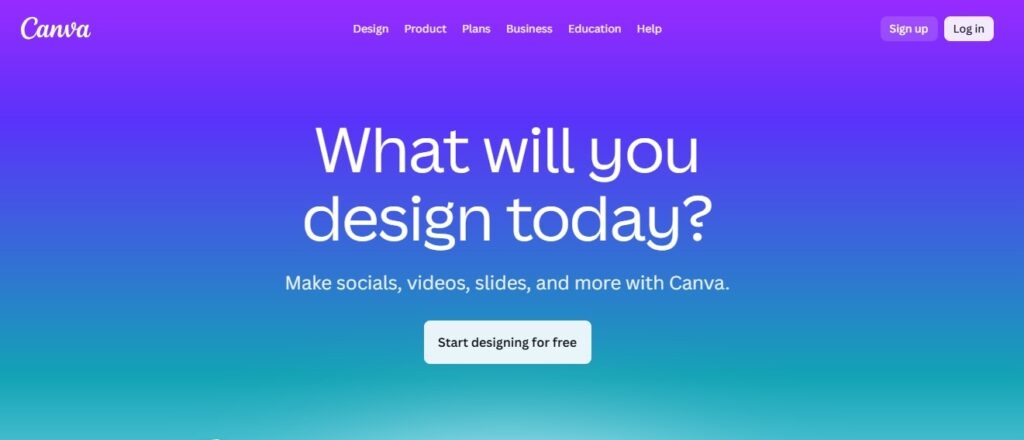
Canva is an all-in-one design platform that equips students with everything they need to create visually compelling content for academic projects, presentations, and social media.
Few platforms match Canva’s balance of ease of use, powerful AI capabilities, and broad feature set. It’s especially well suited for students who want to manage all their design needs in one place, offering core tools such as a drag-and-drop editor, an extensive template library, and a vast collection of stock images.
What truly sets Canva apart, however, is how it goes beyond traditional design tools. The platform includes AI-powered features that can significantly elevate the creative process.
With Canva Magic Design, users can input their content and preferences, and the AI automatically generates multiple design options to choose from. Another standout feature is Magic Write, an AI writing assistant that helps create clear, engaging text ideal for presentations, posters, and infographics.
Canva also excels in collaboration. Designs can be easily shared with classmates, allowing teams to comment, edit, and work on the same project in real time, making group assignments more efficient and seamless.
Features
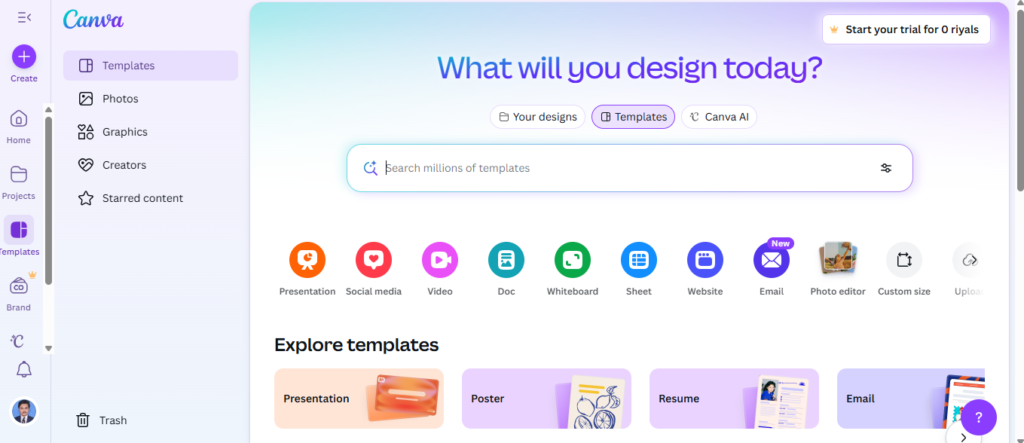
- AI-generated design suggestions tailored to your content and preferences
- AI-powered writing assistant to help craft engaging text for designs
- Thousands of customizable templates for a wide range of academic use cases
- Real-time collaboration, allowing classmates to work on designs simultaneously
- Fully featured iOS and Android apps for designing on the go
- Video creation and editing tools for multimedia assignments
- Tools to create charts, graphs, and infographics for data-driven projects
Pros and Cons
Pros
- ✅ Intuitive, beginner-friendly interface ideal for users with little design experience
- ✅ AI-powered features that boost creativity and accelerate the design process
- ✅ Large library of academic-focused templates and design assets
- ✅ Strong collaboration tools that simplify group projects
- ✅ Affordable student pricing with access to premium features
Cons
- ❌ The wide range of features may feel overwhelming for new users
- ❌ Most features require an active internet connection
Price & Plans
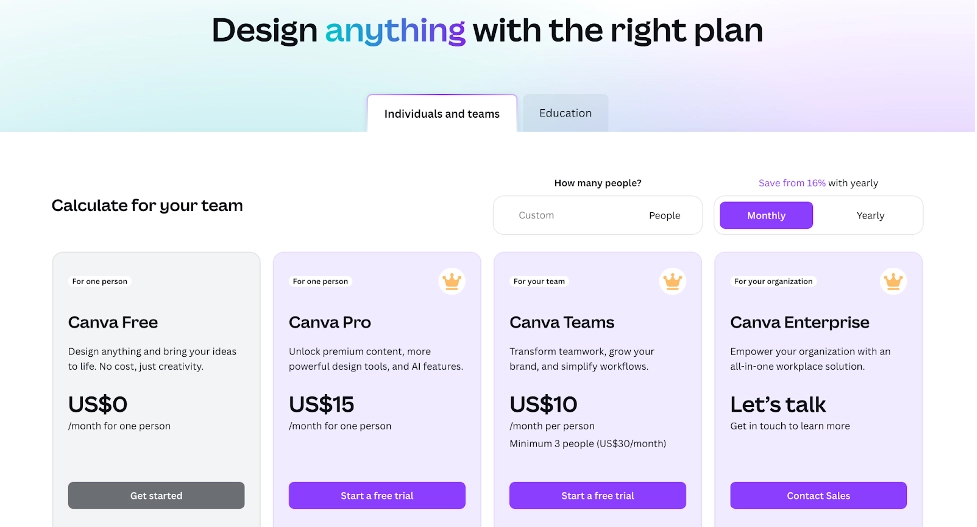
Canva has a forever-free plan, and their paid plan starts at $15 per month. However, Canva’s paid plan is free for eligible students and teachers.
2. Logically
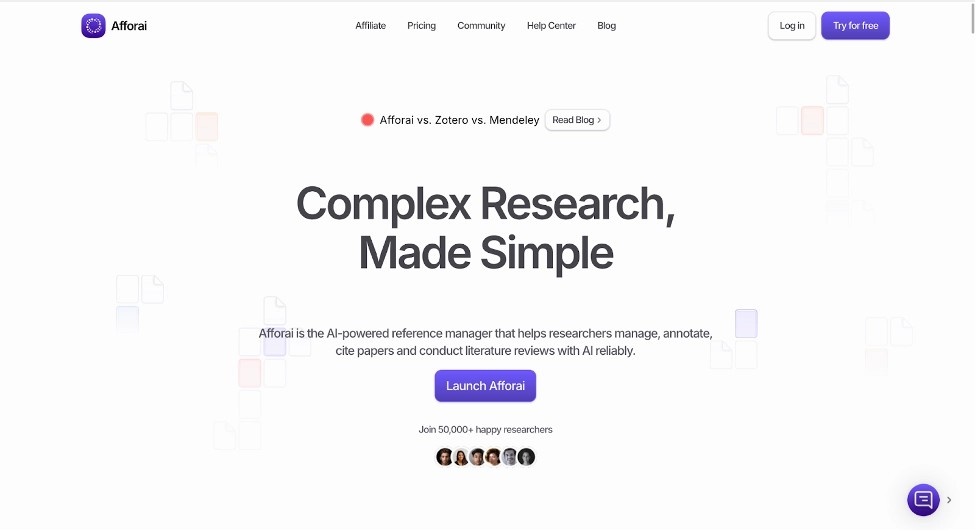
Logically is an AI Tools for Students AI-powered research assistant and reference management platform designed to streamline the academic workflow for students and researchers.
It integrates citation management, note-taking, and AI-driven research support into a single tool, enabling users to efficiently organize, analyze, and collaborate on academic papers.
Students can upload a wide range of file types including PDF, DOCX, TXT, EPUB, and PPTX or import sources using DOIs, URLs, or reference formats such as BibTeX.
Once content is added, Logically automatically extracts key metadata and enables intelligent organization through folders and tags.
At the core of Logically is its AI research assistant, powered by advanced models such as Claude 3.7 Sonnet and Azure GPT-4 Omni. This assistant can summarize content, answer questions about specific papers, and help uncover relevant research from a database of more than 200 million peer-reviewed articles.
Logically also offers advanced note-taking features that go beyond basic highlighting. With the File Annotator, students can add sticky notes, create text highlights, and generate AI-powered insights directly within documents. This interactive reading experience encourages deeper engagement with academic material and improves information retention.
Features
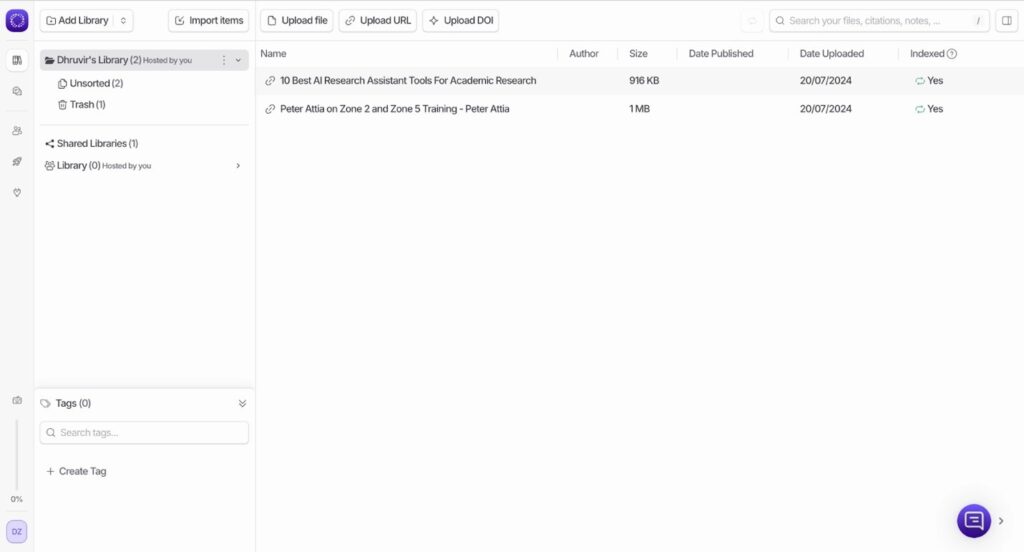
- AI-powered research assistant with multiple modes, including Document Retrieval, Semantic Scholar, and Google Search
- Reference management with automatic metadata extraction
- Built-in annotation and note-taking tools through the Logically File Annotator
- Citation generation supporting over 10,000 citation styles
- Collaboration tools designed for group research projects
- Integration with leading AI models for advanced paper analysis
Pros and Cons
Pros
- ✅ Intuitive, user-friendly interface with a minimal learning curve
- ✅ All-in-one platform that consolidates multiple research tools
- ✅ AI features significantly accelerate literature reviews and academic writing
- ✅ Collaboration tools enhance efficiency in group research projects
- ✅ Supports a broad range of file formats and import options
Cons
- ❌ Limited to a web-based application, with no dedicated mobile or desktop versions available
price plans
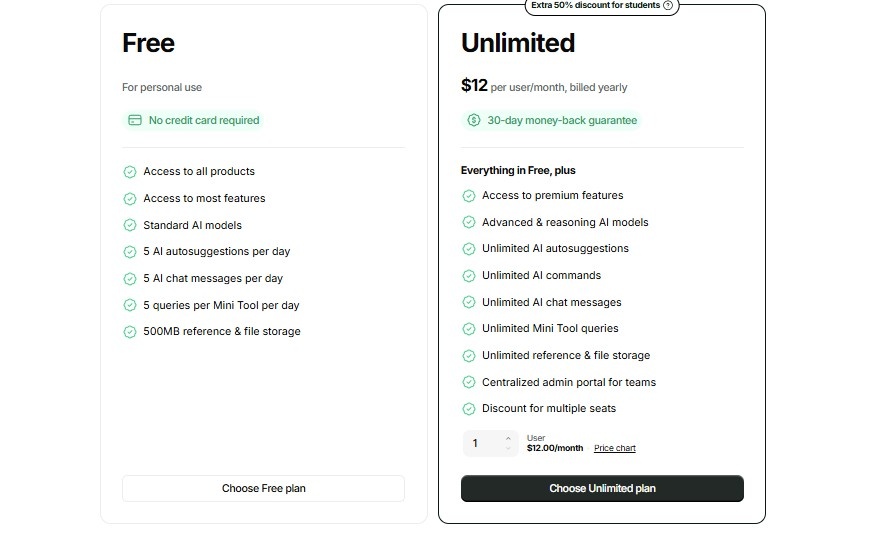
Pricing Plans (Latest Update)
- Free Starter Plan
Includes up to 20 AI queries per day and 500 MB of storage. - Student Plan
Priced at $4.99/month or $3.99/month when billed annually, this plan offers unlimited AI queries and 5 GB of storage. - Professional Plan
Available for $9.99/month or $7.99/month annually, with unlimited AI queries and 10 GB of storage. - Unlimited Plan
Costs $19.99/month or $16.99/month when billed annually, providing unlimited AI queries and unlimited storage.
Side Note
Students can receive 10% off their first payment on any paid plan by using the coupon code DHRUVIR at checkout via the provided link.
3. Grammarly
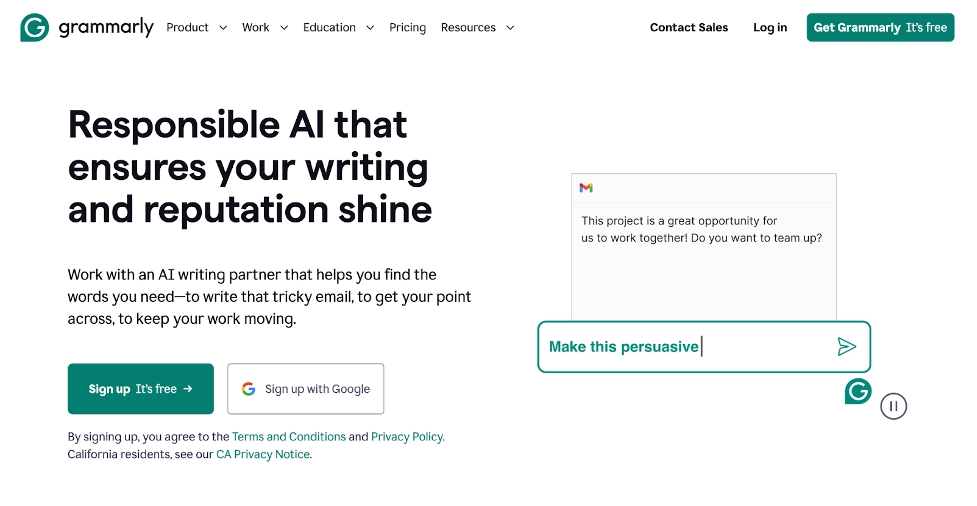
Grammarly is an AI Tools for Students AI-powered writing assistant that goes well beyond basic spell-checking.
It provides real-time grammar and spelling corrections, catching even subtle mistakes that might slip past human proofreaders. But its capabilities don’t stop there.
Grammarly analyzes sentence structure, word choice, and overall clarity, offering suggestions to make writing more readable and impactful. For example, if a student overuses passive voice, Grammarly will flag it and suggest more engaging, active alternatives.
One of its standout features for academic writing is context-aware suggestions. The AI considers the type of document, intended audience, and formality level to provide tailored recommendations. A casual email to a classmate will receive different guidance than a formal research paper, helping students always maintain the right tone.
Plagiarism detection is another essential tool for maintaining academic integrity. Grammarly compares your text against billions of web pages and academic sources, highlighting any potential instances of unintentional plagiarism.
For students struggling with writer’s block or looking to refine drafts, Grammarly also offers AI-powered rewriting and text generation. By inputting a rough draft or outline, you can receive polished, coherent suggestions to improve your writing efficiently.
Features
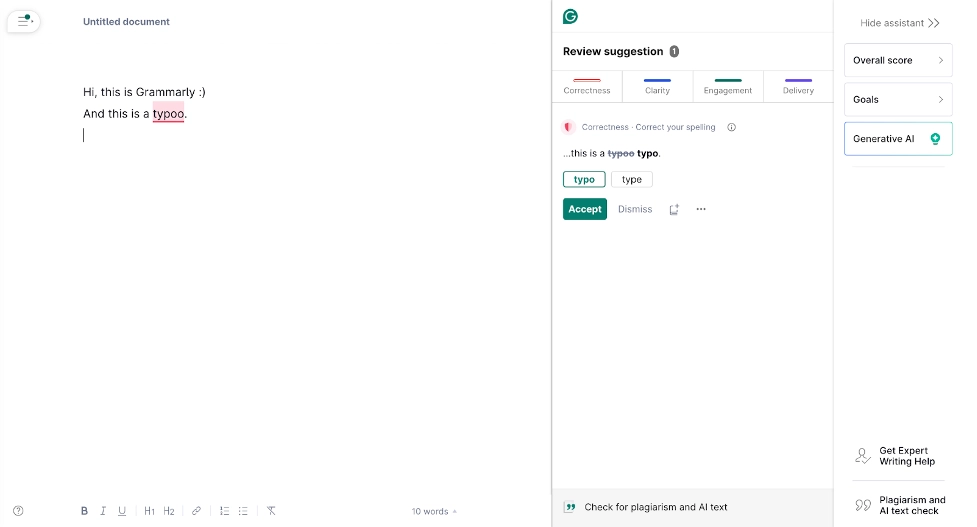
- AI-powered grammar, spelling, and punctuation correction
- Context-aware style and tone suggestions
- Plagiarism detection and citation assistance
- Text rewriting and AI-generated content
- Cross-platform compatibility (browser, desktop, and mobile)
- Customizable goals for audience, formality, and intent
Pros and Cons
Pros
- ✅ Comprehensive tool that improves multiple aspects of academic writing
- ✅ Seamlessly works across platforms commonly used by students
- ✅ Supports academic integrity with plagiarism and citation features
- ✅ AI-powered rewriting helps overcome writer’s block
Cons
- ❌ Full features, including plagiarism detection, require a paid subscription
- ❌ May suggest unnecessary edits, requiring judgment to accept or reject
- ❌ Overreliance could limit development of natural writing and proofreading skills
price & Plans
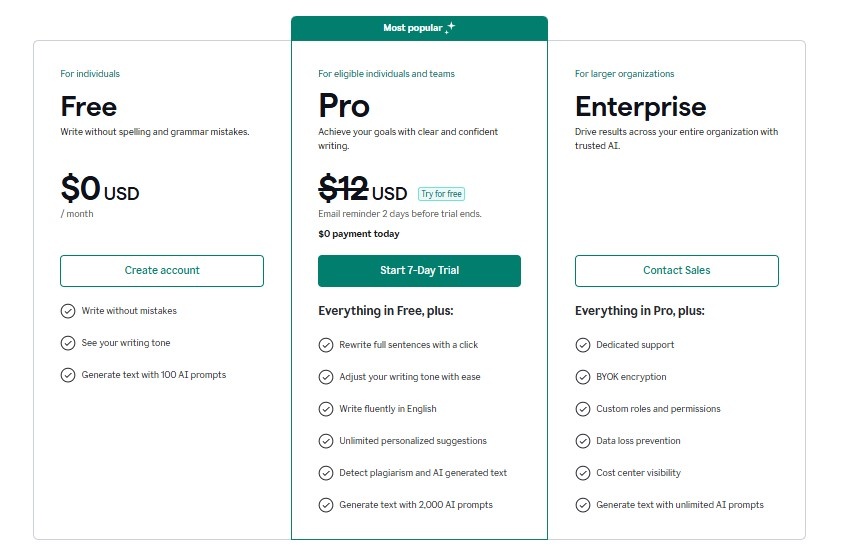
Grammarly offers a forever‑free plan that includes basic grammar, spelling, and punctuation checks along with a limited set of generative AI writing features.
Paid Plans:
- Premium (Pro) Plan: Starts at about $12/month when billed annually (or around $30/month if billed month‑to‑month) and unlocks advanced grammar and style suggestions, full‑sentence rewrites, plagiarism detection, and enhanced AI writing tools.
- Business Plan: Around $15 per member/month (billed annually), with all Premium features plus team‑focused tools like style guides, analytics, and centralized billing.
You can typically access a 7‑day free trial on the Premium/Pro plan to explore its full range of features before subscribing.
4. Fireflies.ai
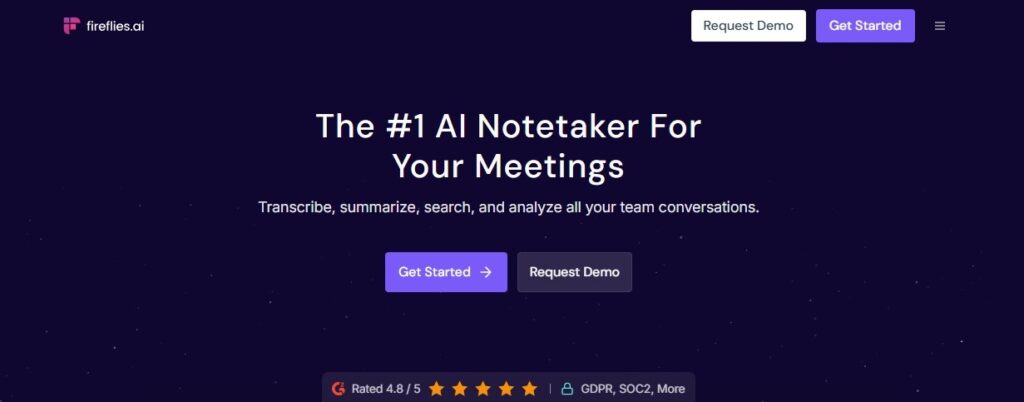
Fireflies.ai is an AI-powered meeting assistant that automatically records, transcribes, summarizes, and analyzes voice conversations.
For students, it’s a powerful tool that can transform the way lectures, study sessions, and research interviews are captured and reviewed. Acting as a virtual note-taker, Fireflies.ai integrates seamlessly with popular video-conferencing platforms such as Zoom, Google Meet, and Microsoft Teams.
Once invited to a meeting, it records the audio, transcribes the conversation in real time, and uses AI to identify key points. Beyond simple transcription, Fireflies.ai analyzes discussions to generate concise summaries, highlight action items, and flag important questions raised during the session.
This allows students to stay fully engaged in class or group projects, confident that every important detail is being captured accurately.
For research-focused students, Fireflies.ai also offers advanced search capabilities. You can quickly revisit specific topics from past lectures or interviews using keywords, themes, or concepts making exam preparation and research organization faster and more efficient.
Features
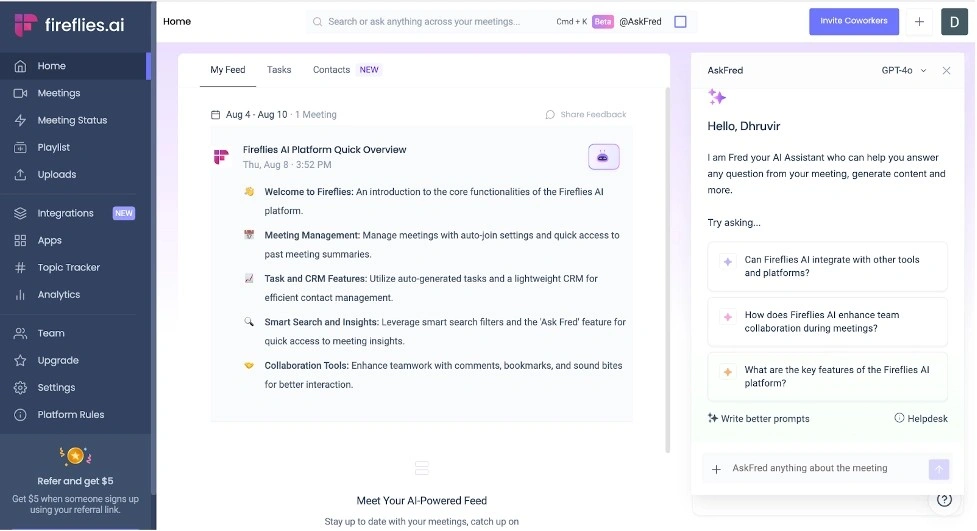
- Automatic recording and transcription of voice conversations
- AI-generated meeting summaries with extracted action items
- Seamless integration with major video conferencing platforms
- Advanced search across all recorded meetings
- Collaborative tools for sharing, commenting on, and annotating notes
- Custom topic trackers to identify recurring themes and key discussion points
Pros and Cons
Pros
- ✅ Saves time by automating note-taking and summarization
- ✅ Enhances information retention with a searchable meeting archive
- ✅ Supports effective collaboration on group projects
Cons
- ❌ Requires a stable internet connection for real-time transcription
- ❌ May produce occasional transcription errors, particularly with technical or specialized terms
- ❌ Raises privacy considerations when recording lectures or interviews (consent is essential)
Price & Plans
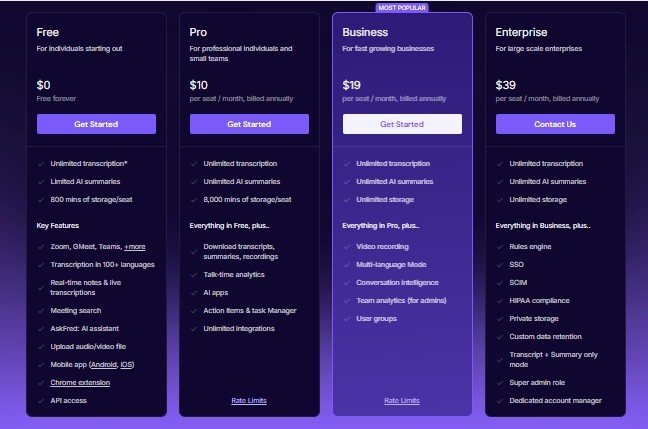
Fireflies.ai offers a free plan that includes unlimited transcription and 800 minutes of storage per user, along with essential features to help you get started.
Paid Plan Options:
- Pro Plan: approximately $10 per user/month when billed annually, or about $18/month if billed monthly.
- Business Plan: approximately $19 per user/month billed annually, or $29/month billed monthly.
- Enterprise Plan: custom pricing tailored to large organizations with advanced needs.
Discounts: Fireflies.ai offers a 10% discount on the Pro, Business, or Enterprise plans for NGOs, students, and nonprofit organizations, and this applies to both monthly and yearly billing.
5. Gamma
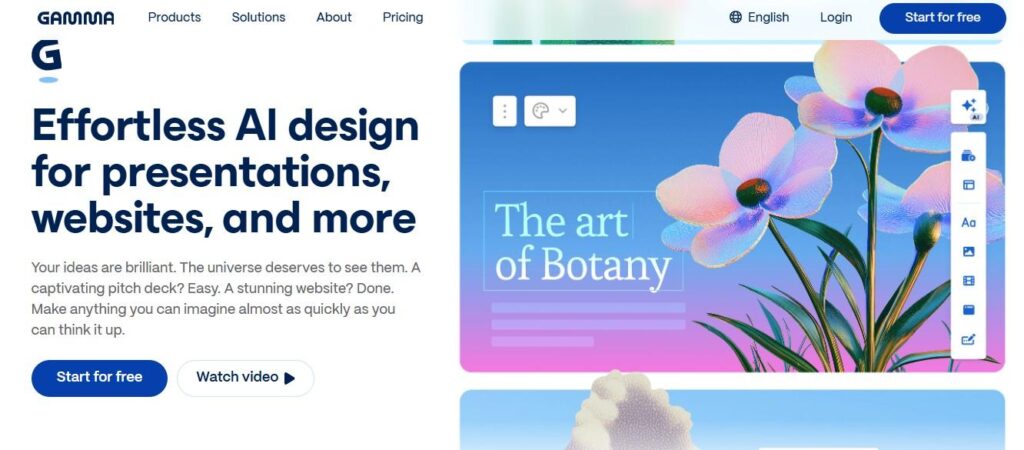
Gamma is a next‑generation AI tool that transforms how students create presentations, documents, and websites. Using artificial intelligence, it turns simple text inputs into visually striking and interactive content no design or coding skills required.
Students can begin with a basic outline, a few bullet points, or even upload existing material. Gamma intelligently analyzes the input and instantly generates a structured, visually appealing presentation.
The interface is intuitive and easy to customize, so students can match their work to school branding or develop their own unique style.
Real‑Time Collaboration
One of Gamma’s standout features is real‑time editing, which is a game‑changer for group projects. Team members can collaborate smoothly, make updates instantly, and see changes in real time.
Students can also integrate videos, interactive elements, and even live data visualizations into their creations, making content more engaging and dynamic.
Mobile‑First Optimization
Gamma automatically optimizes content for mobile devices, ensuring that presentations look great whether viewed on a lecture hall projector, laptop, or smartphone.
Built‑In Analytics
For research projects or major academic presentations such as dissertation defenses Gamma includes analytics that show how audiences interact with your content. These insights help students refine and improve their work based on real engagement data.
Features
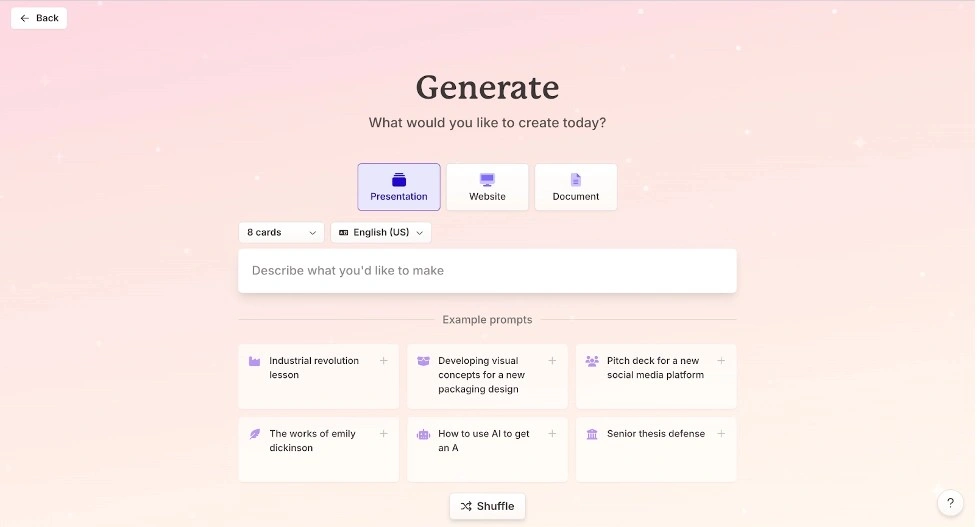
- AI-powered content generation from text inputs or uploaded documents
- Interactive galleries, videos, and embed options for engaging presentations
- Real-time collaboration tools for group projects
- Mobile-friendly output for presenting on any device
- Built-in analytics to track engagement
- Ability to password-protect sensitive academic work
- Easy export to PDF and PPT formats
Pros and Cons
- Significantly reduces time spent on creating presentations
- Produces visually appealing content without design skills
- Supports collaboration, ideal for group assignments
- Limited variety of templates compared to some competitors
- Learning curve may be steep for some users
- Advanced features like animations are limited
Price & Plans
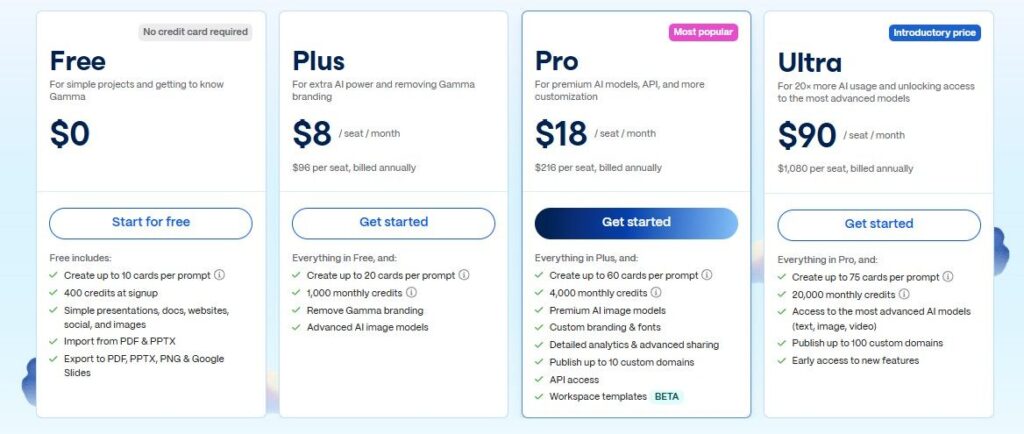
Gamma offers a free tier that lets you create AI‑generated slides and presentations with limited cards per prompt — a great way to try out the platform at no cost.
Paid Plans:
- Plus Plan: Around $10/month (or about $8/month if billed annually). This plan unlocks unlimited AI generation, removes Gamma’s branding, and allows more cards per prompt compared to the free tier.
- Pro Plan: Around $20/month (or about $15/month when billed yearly). This tier adds advanced AI models, even more cards per prompt, custom branding options, and detailed analytics.
6. Perplexity
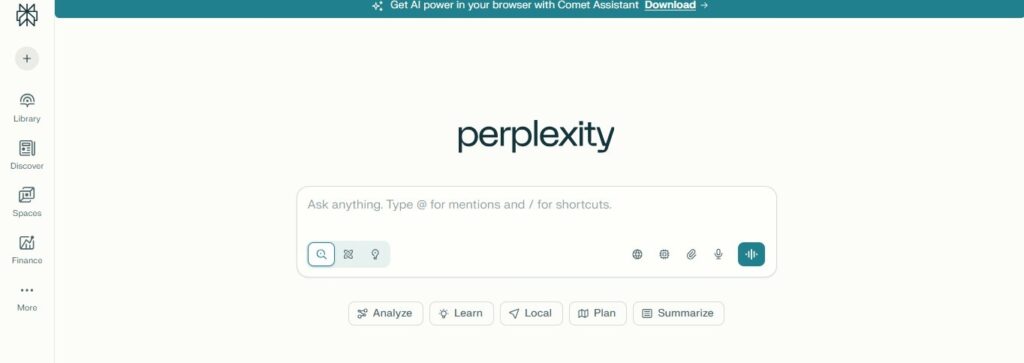
Perplexity is an AI‑powered search engine and research assistant that blends traditional search with advanced generative AI to deliver direct, conversation‑style answers sourced from the web in real time. Unlike standard search engines that return lists of links, Perplexity synthesizes information and presents concise, up‑to‑date responses with verifiable citations so you can easily trace each fact back to its original source.
It uses large language models (like GPT‑4 variants, Claude, and Perplexity’s own Sonar engine) to understand natural language queries, interpret context, and respond with depth and clarity.
Perplexity’s conversational interface makes follow‑up questions natural and seamless, enabling users to dig deeper into topics without starting new searches. You can refine or redirect queries on the fly, and the engine keeps context from earlier interactions.
Students and researchers especially benefit from Perplexity’s focus tools. You can narrow searches to specific categories such as academic papers, web results, YouTube videos, or forums like Reddit making it easier to tailor results to your academic or professional needs.
For more advanced work, Pro Search (part of the Perplexity Pro plan) elevates this experience by conducting deeper, multi‑source research. It synthesizes information from hundreds of sources, handles complex queries with nuance, and includes transparency through direct source links. It also features a code interpreter for analyzing or executing code and lets you choose from multiple AI models optimized for different tasks.
Perplexity supports media uploads, allowing you to analyze PDFs, images, and text documents directly within the platform useful for extracting insights from source materials without leaving the tool.
In addition to search and research, Perplexity now includes organizational features like Spaces (which help you group related queries and documents), and can even transform research into polished content through shareable Perplexity Pages.
Recent expansions include the AI‑centric Comet browser, which integrates Perplexity’s assistant into a full browsing experience with voice interaction, summarization, and task assistance across web content.
Overall, Perplexity isn’t just a search engine. it’s a versatile research platform that helps you find, verify, organize, and even create with AI‑powered tools tailored to both everyday questions and in‑depth academic or professional inquiry.
Features
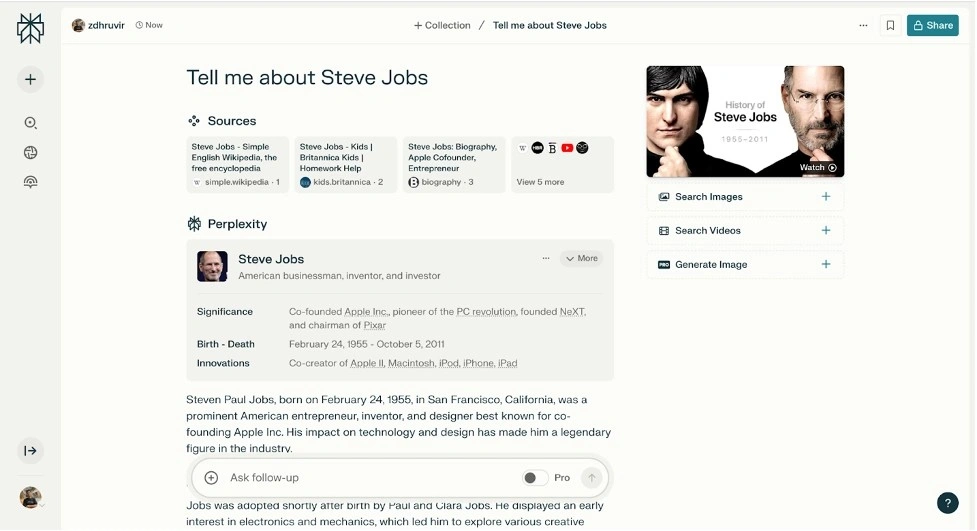
- AI-powered search with natural language processing
- Real-time information synthesis from multiple sources
- Automatic citation and source linking
- Focus search options (Academic, YouTube, Reddit, etc.)
- Upload and analyze PDFs and images
Pros and Cons
- time by providing concise, relevant answers to complex queries
- Ecritical thinking through easy access to multiple perspectives
- Available on multiple platforms (web, mobile, browser extension)
- Free plan offers robust features for basic research needs
❌ Advanced features like unlimited AI searches require a paid subscription
❌ May sometimes oversimplify complex topics
Price & Plans
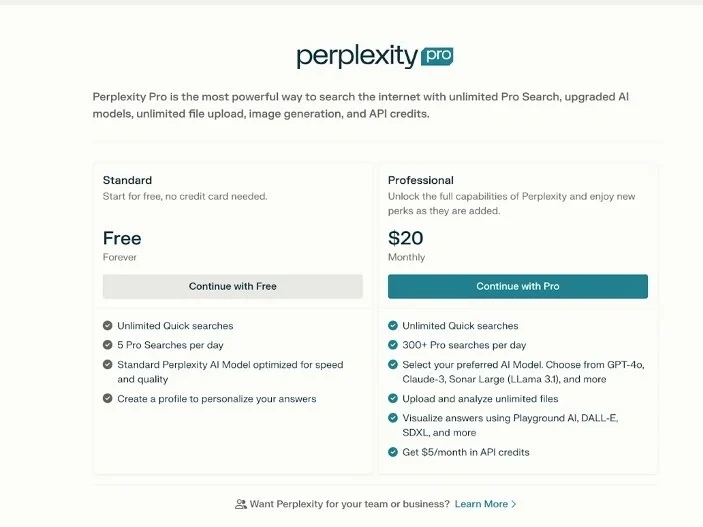
Perplexity offers a free (Standard) tier that you can use at no cost with essential search features and a limited number of advanced queries. If you want unlimited access to all of Perplexity’s capabilities, including extended Pro Searches, advanced AI models, and enhanced file and media upload support, you can upgrade to Perplexity Pro for about $20 per month (or approximately $200 per year).
7. Difference Table
Following are the difference table of all tools where you can easily observe the all tools about there feature problem solutions and plans
Canva
Problem: Students struggle to create visual content for presentations, posters, and graphics.
Solution: AI-powered design platform automating layouts for students without design skills.
Features: Templates, Magic Write, background remover, resize, media library, collaboration.
Plans: Free tier; Pro ~$15/mo for full assets & advanced AI design.
Logically
Problem: Research and writing are slow and hard to verify.
Solution: AI research assistant that helps find, cite, and organize reliable info quickly.
Features: Citation-backed research, document workspace, summary, reference management.
Plans: Freemium; premium ~$0–$8/mo.
Grammarly
Problem: Writing quality & correct English.
Solution: AI writing assistant improving grammar, tone, clarity, and style in real time.
Features: Grammar check, tone, style suggestions, plagiarism check, browser/app integration.
Plans: Free; Premium ~$12/mo; Business packages available.
Fireflies.ai
Problem: Manually transcribing lectures and meetings wastes time.
Solution: AI meeting assistant that auto-records, transcribes, and summarizes conversations.
Features: Live transcription, searchable notes, Zoom/Teams integration, meeting summaries.
Plans: Free forever (limits); Pro ~$10–$18/mo; Business $19/mo; Enterprise $39/mo.
Gamma
Problem: Students need fast slide decks and visual summaries.
Solution: AI generates presentations and interactive docs from prompts.
Features: Presentation creation, card generator, sharing, export to PPT/Google Slides.
Plans: Free plan; Plus ~$10/mo; Pro & Ultra tiers for advanced features.
Perplexity
Problem: Finding reliable info quickly is hard.
Solution: AI-powered search assistant providing real-time web answers with citations.
Features: Answers with sources, research engine, mobile app, browser extensions.
Plans: Free basic access; Pro ~$20/mo; Enterprise tiers available.