Ai Tools For Creating Professional Documents
Creating a professional brochure can take a lot of time, design skills, and effort. But with modern AI tools, anyone can create beautiful and high-quality brochures in minutes. These tools help users generate layouts, add content, and customize designs easily. In this post, you will discover some powerful AI tools that make brochure creation faster, simpler, and more professional.
1. Venngage AI
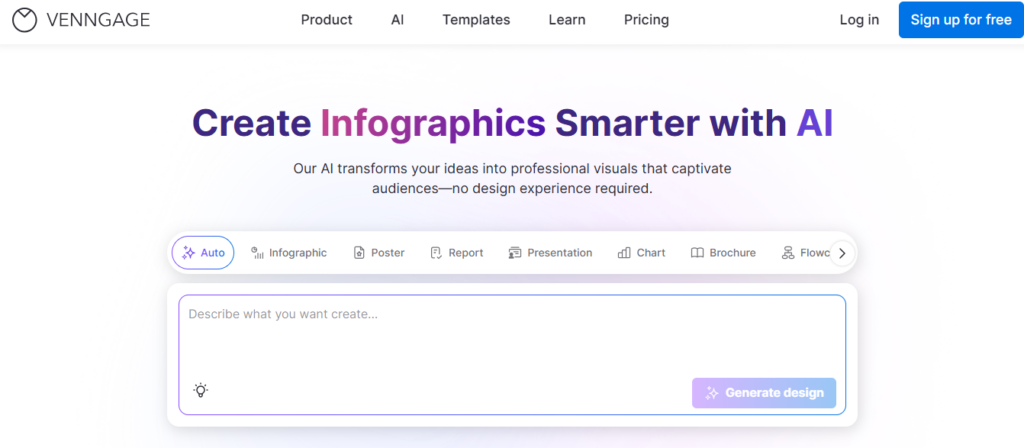
Creating a professional brochure can be difficult if you don’t have design skills or enough time. Many students, freelancers, and bloggers struggle to make attractive designs that look professional. Venngage AI helps solve this problem by generating beautiful brochure designs with the help of AI. In this article, you’ll learn how this tool can help you quickly create eye-catching and professional brochures for your projects or online work.
Features
- AI Design Generator Turn simple text prompts into professional visuals in seconds. The AI automatically creates layouts and design suggestions to help beginners start quickly.
- AI Content Auto-Fill Choose a template and let the AI automatically fill it with relevant text and visual elements. This helps users create brochures, infographics, and reports much faster.
- AI Image and Icon Generator Generate custom icons, illustrations, and images by simply describing what you need. This makes designs more unique and visually appealing.
- Smart Accessibility Checker AI reviews your design for contrast, readability, and accessibility issues. It helps create designs that follow accessibility guidelines and are easier for everyone to read.
- AI Writing and Translation Tools Improve text clarity, rewrite content, or translate it into different languages directly inside the editor. This makes your visuals more professional and suitable for global audiences.
2. Piktochart AI
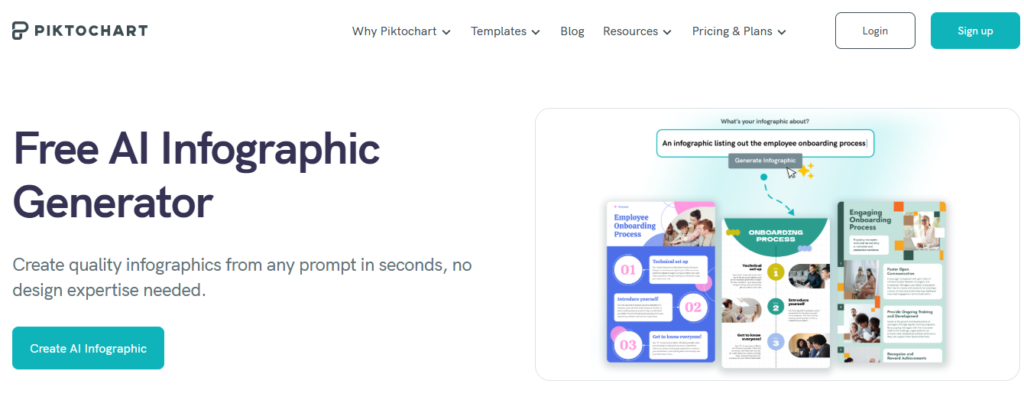
Creating professional visuals like infographics or presentations can be time-consuming, especially if you don’t have design skills. That’s where Piktochart AI makes things easier by turning ideas and text into ready-to-use visuals in minutes. In this article, you’ll discover how this smart tool helps students, freelancers, bloggers, and online earners quickly create engaging graphics. It saves time, improves creativity, and helps you present information in a clear and attractive way.
Features
- AI-Powered Visual Creation Simply enter a topic or paste text, and the AI automatically generates professional infographics, reports, or presentations within seconds. This saves hours of manual design work.
- Smart Content Structuring (AI Outline) The AI organizes your ideas into a clear outline and visual layout, making it easier to present information in a logical and engaging way. You can edit and rearrange sections easily.
- AI Image Generation Create custom images by typing a simple prompt. The tool generates unique visuals that can be directly used in infographics, reports, or presentations.
- Automatic Chart and Content Conversion Upload documents with charts, tables, or images, and the AI converts them into editable visual elements without rebuilding them from scratch.
- Easy Customization and Export Users can adjust colors, fonts, layouts, and templates with a drag-and-drop editor, then export designs in formats like PNG, PDF, or PowerPoint.
3. Marq(Lucidpress)
Creating professional brochures, reports, or marketing materials can be difficult without design experience. Marq (Lucidpress) makes this process simple by providing ready-made templates and smart design tools anyone can use. In this article, you’ll learn how this platform helps students, freelancers, bloggers, and online earners create polished, professional content quickly. It’s a great solution for producing branded documents and visuals without advanced design skills.
Features
- Smart Lockable Templates Designers can lock logos, fonts, colors, and layouts so users can edit only approved sections. This keeps every document consistent with brand guidelines.
- Drag-and-Drop Design Editor A simple online editor allows beginners to create brochures, flyers, social posts, and newsletters without advanced design skills. You can easily move elements and customize layouts.
- Data Automation & Smart Fields Automatically fill templates with information from spreadsheets, CRMs, or directories. This speeds up content creation and reduces repetitive manual work.
- Collaboration and Approval Workflows Teams can review, comment, and approve designs directly inside the platform. This makes it easier to manage projects and maintain quality before publishing.
- Multi-Channel Publishing Users can instantly share designs to social media, export digital files, or send projects for professional printing. This allows content to be distributed quickly across multiple platforms.
4. Flipsnack AI
Turning plain PDFs or documents into engaging digital flipbooks can be difficult without the right tools. Flipsnack AI helps you quickly create interactive magazines, catalogs, and brochures with the power of AI. In this article, you’ll learn how this smart platform can help students, freelancers, bloggers, and online earners design professional flipbooks in minutes. It’s an easy way to make your content more attractive, interactive, and shareable online.
Features
- AI-Powered Flipbook Translation Instantly translate an entire flipbook or selected text boxes into multiple languages. This helps you reach a global audience without using external translation tools.
- AI Page Summaries for Accessibility The AI automatically generates summaries and descriptions for each page. These summaries help screen readers understand the content, making publications more accessible to all readers.
- PDF-to-Interactive Flipbook Conversion Upload a static PDF and quickly convert it into an interactive digital flipbook with page-flip effects, links, videos, and other elements. This makes documents more engaging and professional.
- Analytics and Reader Insights Built-in analytics track views, clicks, and reading time so creators can understand how readers interact with their content. This helps improve future publications.
- Easy Publishing and Sharing Options Flipbooks can be shared through links, QR codes, email, or embedded on websites. This makes it simple to distribute catalogs, magazines, or brochures online.
5. DocHipo AI
Creating eye-catching graphics for social media, blogs, or marketing can feel difficult without design experience. DocHipo AI makes the process simple by helping users generate professional designs with smart templates and AI tools. In this article, you’ll learn how students, freelancers, bloggers, and online earners can quickly create attractive visuals without advanced skills. It’s a practical tool for designing banners, posts, and marketing materials in just a few minutes.
Features
- AI Writer for Content Creation Generate captions, marketing text, or document content instantly with simple prompts. This helps users create engaging text without spending much time writing.
- AI Image Generator Turn text descriptions into unique images directly inside the editor. This makes it easy to add custom visuals to designs without searching for stock photos.
- AI Translate for Global Reach Translate your design content into more than 100 languages with a few clicks. This allows creators to share visuals with international audiences.
- One-Click Background Remover Remove the background from any image instantly to create clean and professional visuals. This saves time compared to manual editing.
- Thousands of Customizable Templates Access a large library of ready-made templates for social media posts, ads, presentations, and marketing materials. Users can easily edit them with a drag-and-drop editor.
6. Difference Table
| Feature | Venngage AI AI | Piktochart AI AI | Marq (Lucidpress) AI | Flipsnack AI AI | DocHipo AI AI |
|---|---|---|---|---|---|
| AI Design Generator | Generates layouts and visuals from text prompts in seconds | Creates infographics and visuals automatically | Provides ready-made templates | Converts PDFs into interactive flipbooks | Generates graphics and designs from text |
| AI Content Auto-Fill | Auto-fills templates with text & visual elements | Organizes ideas into structured outlines | Smart fields & data automation | Summarizes pages for accessibility | AI writer generates captions and marketing text |
| AI Image & Icon Generation | Create custom icons and illustrations | Generate images from simple prompts | Supports drag-and-drop images | Interactive flipbook media support | Image generator for custom visuals |
| Accessibility & Smart Checks | Checks readability and accessibility | Organizes content for clarity | Collaboration with review workflows | Generates summaries & descriptions | One-click background remover |
| Multi-Language & AI Writing | Text rewriting & translation | Content structuring assistance | Maintains brand consistency | Flipbook translation into multiple languages | Translate content into 100+ languages |
| Customization & Export | Editable templates, graphics & layouts | Drag-and-drop editor, export to PNG/PDF/PowerPoint | Multi-channel publishing | Easy sharing via links, QR, embed | Thousands of templates & drag-and-drop editing |